Blogs



newsroom
News & Updates
Recent Updates
The Future of Self-Service Kiosks in Healthcare, Government, and High-Traffic Facilities
Published: August 21, 2026

The Future of Self-Service Kiosks in Healthcare, Government, and High-Traffic Facilities
- Why kiosks are moving from convenience to operational infrastructure
- Use cases in healthcare, government, and high-traffic facilities
- Benefits for users, staff, and administrators
- How ATT InfoSoft KOS supports configurable self-service workflows
- What organisations should consider before deployment
Self-service kiosks used to be seen mainly as convenience tools. Today, they are becoming part of the operational infrastructure for healthcare facilities, government service centres, transport hubs, retail environments, and corporate buildings. As organisations face higher foot traffic, labour constraints, and rising expectations for faster service, kiosk automation provides a practical way to improve customer flow.
In healthcare, kiosks can support patient check-in, appointment verification, payment, wayfinding, and queue registration. This reduces pressure on front-desk staff and helps patients begin their journey more quickly. In government service centres, kiosks can guide visitors to the right service, issue queue numbers, collect registration details, and support multilingual self-service. In commercial or transport facilities, kiosks can help visitors complete routine tasks without waiting for staff intervention.
The value of a self-service kiosk solution is not simply that it replaces a manual counter. Its value is that it standardises repetitive workflows while freeing staff to focus on higher-value service. When a kiosk handles check-in, basic verification, appointment selection, or payment initiation, employees can spend more time solving exceptions, assisting vulnerable users, and managing complex enquiries.
For visitors, kiosks can create a more predictable experience. Instead of searching for the correct counter or waiting to ask basic questions, users can follow a guided interface. When kiosks are connected to queue management and appointment systems, the user journey becomes even smoother. A visitor can check in, receive a queue number, and be routed to the correct service point through one integrated flow.
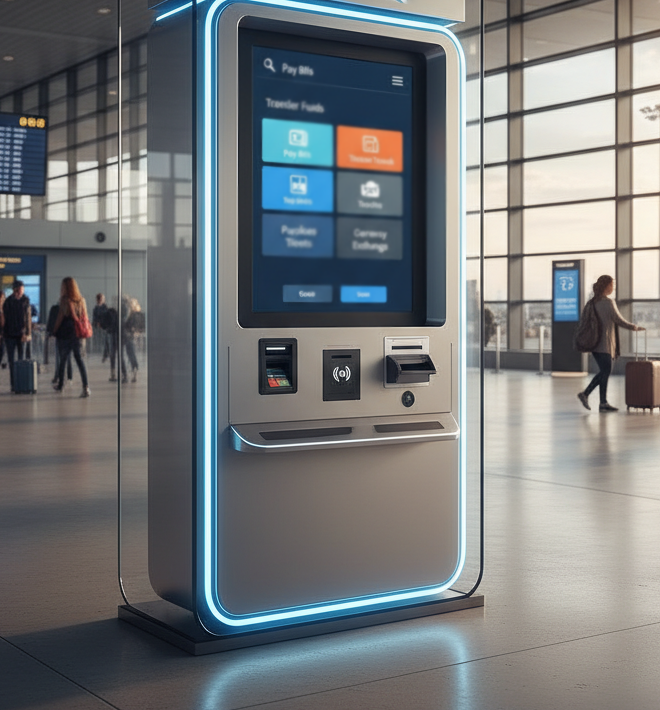
ATT InfoSoft’s Kiosk Operation Solution (KOS) is designed for these kinds of customer-facing operations. ATT’s KOS supports smart automation and self-service across registration, transactions, appointments, and other service workflows. It can be configured in different formats, including full-height terminals, slim stands, tabletop devices, and handheld options, making it suitable for different physical environments and operational needs.
The strongest kiosk deployments are integrated deployments. A kiosk that only collects information is helpful, but a kiosk connected to queue management, visitor management, payment services, and administrative dashboards can deliver much greater value. For example, a hospital kiosk can register a patient, update queue status, and support payment or appointment confirmation. A government kiosk can direct visitors based on service type and send relevant data to the service counter before the customer arrives.
This is where ATT’s broader solution ecosystem matters. ATT InfoSoft can connect KOS with Q’SOFT EQMS, Visitor Management System, Online Appointment System, and Payment Services Solution where required. This helps organisations create a more unified service journey instead of deploying separate tools that do not communicate with each other.
Accessibility and usability should also be part of kiosk planning. Interfaces should be clear, language options should match user needs, and the physical design should support different user groups. In high-traffic environments, kiosk placement is just as important as kiosk software. Poor placement can create congestion, while a well-designed layout can distribute traffic and reduce front-desk bottlenecks.
Before deploying kiosks, decision-makers should identify which tasks are suitable for self-service, which exceptions still require staff support, and which systems must be integrated. They should also define success metrics such as shorter waiting times, reduced counter workload, increased self-service adoption, and improved customer satisfaction.
The future of kiosks is not about removing the human element from service. It is about using automation intelligently so people and systems work better together. With ATT InfoSoft’s KOS, organisations can introduce self-service in a controlled, configurable, and scalable way, improving both operational efficiency and customer experience.
To explore how ATT InfoSoft’s Kiosk Operation Solution can support your service environment, contact infosoft-sales@attsystemsgroup.com.
FAQ
What can self-service kiosks do?
They can support check-in, registration, queue ticketing, appointment confirmation, payment workflows, wayfinding, and other routine customer-facing tasks.
Are kiosks suitable for healthcare and government services?
Yes. These environments often have high visitor volumes and repetitive workflows that benefit from guided self-service.
How does ATT InfoSoft support kiosk deployment?
ATT InfoSoft’s KOS provides configurable kiosk solutions that can integrate with queue, appointment, visitor management, and payment systems.
Send us a message
Contact Information
Address:
35 Ubi Crescent, ATT Building, Singapore, 408585
Phone:
Email:
Website:
www.attsystemsgroup.com